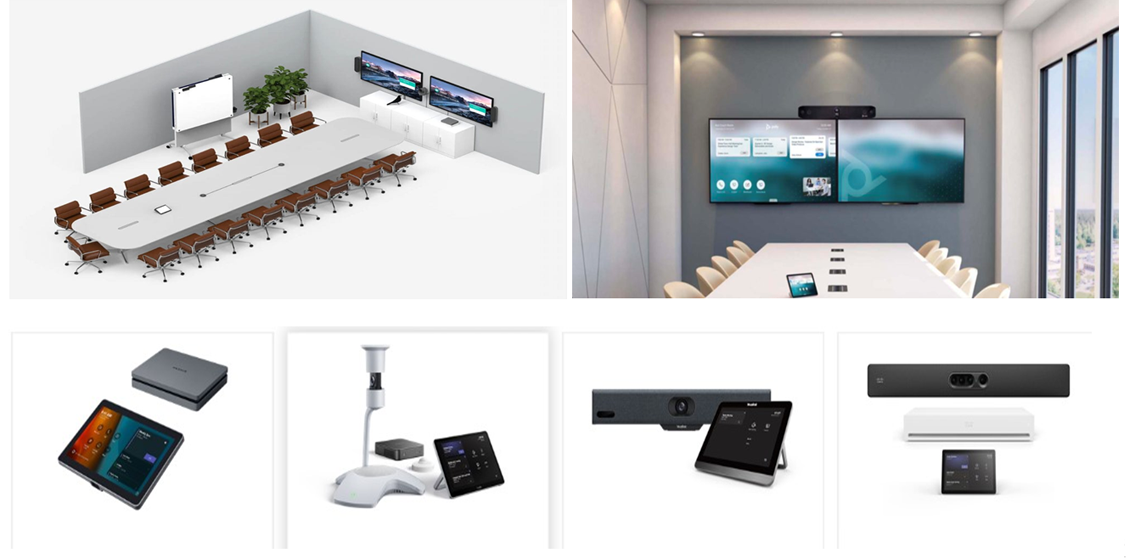
Audio Visual Solutions

There are various components that enable video conferencing system for office or home to operate. The parts or the components that are utilised in the video conferencing system are:-
- Stable internet connection
A wired/wireless local area network, wide area network, cellular wireless and broadband are needed to execute video conferencing/communication.
- Workable Video cameras or webcams that provide video input.
- Two or more microphones, either an external microphone or one built into the accessing device.
- A video display device, monitor, TV or projector, can broadcast video output.
- Headphones, laptop speakers or external speakers can be used for audio output.
- Video conferencing software
A software that can be hardware- or software-based to reduce bandwidth by compressing and decompressing AV data. This software can be used for noise cancellation and to minimize background noise during conferences.
Types of Video Conferencing System
There are various kinds of video conferencing setup for office or home in the market. Among the most common and major types of video conferencing systems or online video call setup are as follows:-
- Telepresence Video Conferencing System
Telepresence is designed to host a meeting as closely as possible. It is primarily known to be a video conferencing system for office. In this meeting, the setup is done to make everyone feel like they are joining the meeting in person. Large screens are used, and cameras are positioned at eye level, making the video conferencing appears as if all the participants are sitting in the same room and around the same table.
- Integrated Video Conferencing System
Integrated video conferencing systems are for group video conferencing with a centralized location for the equipment. It is ideal for boardroom and classroom conferences where all the main cameras, displays and other peripheral videos are mounted in the main conference location.
Desktop video conferencing system is one of the preferable video conferencing systems. All the video conferencing hardware and software is built-in to a computer or laptop. Desktop Video Conferencing System is generally used as a video conferencing setup for office, basically in meetings, seminars, and conferences.
For serviced-based systems, the provider, which often is a telecom carrier, handles most of the control of the network setup. This means less work on your end. You pay for the solution, and your provider manages it for you, making it more convenient, especially if you don't want to bother with the technicalities.
This room-based video conferencing framework utilizes an outside display, camera and microphone, the same framework for a meeting room.
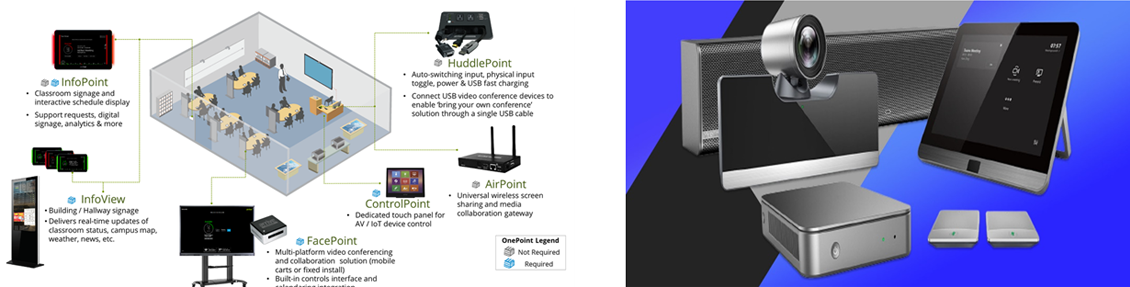
- money-saver
The fundamental and obvious benefit of a video conferencing system is that an individual can conduct any meeting, seminar, or conference anywhere and anytime. This means that an individual has no time and location constraints which saves travel expenses and increases productivity to a great extent.
- It improves collaboration and communication
The opportunity of setting up a meeting, along with the possibility to share screens, send files, and use digital whiteboards, supports teamwork and communication.
- Has an own storage tool
Most video conferencing system is fully web-based which does not need any application or add-ons to be downloaded. Video recordings done via the conferencing system are saved in the cloud, saving space on the user’s computer and facilitating sharing.
- Consists SSO authentication
SSO stands for Single Sign-On, which enables the users to access a company’s business applications easily and securely from their respective phone or computer with a single login profile.
- It facilitates global business
Video conferencing in the technological world connects small to large companies/ enterprises by providing an immediate audiovisual connection with a client or partner residing at the other end of the world. This initiates their business globally and positions them on an utmost pedestal in the world.
- Increased productivity
By eliminating time and district barriers, meetings can be held anytime, anywhere with anyone. In this way, meetings are shorter and more effective with efficient collaboration tools and quick decisions source.